BACK
PlayPlay
Genie — the AI video assistant
Case study · Senior Product Designer
An alternate, prompt-based path to creating a video on PlayPlay — built to beat the blank-page problem and get users from idea to a finished, exportable video in minutes instead of half an hour.
Result | 28 → 12 min time to a finished video (beta testers) — a ~57% reduction in time-to-value |
Role | Sole product designer for the squad (flow, identity, UI, interaction model, prototype) |
Team | 1 PM, engineers; input from CX & Sales; collaboration with research |
Timeframe | ~3 months from idea to first beta prototype (≈3 years ago — pre-mainstream AI wave) |
Scope | End-to-end feature design, LLM interaction/behaviour tuning, usability testing |
Status | Shipped to a closed beta of selected users |
Context
PlayPlay is a SaaS platform that lets companies create professional videos themselves, without an editing background. Its core experience is the Studio — a powerful editor where users assemble screens, media, text, voice-over and branding into a finished video.
The Studio is capable, but it starts from a blank canvas. Genie is a second, parallel way in: instead of building from scratch, the user describes what they want, and the assistant drafts a complete first video — script, screens and suggested media — that lands pre-filled in the Studio, ready to export. The Studio never went away; Genie sits alongside it as the fast path.
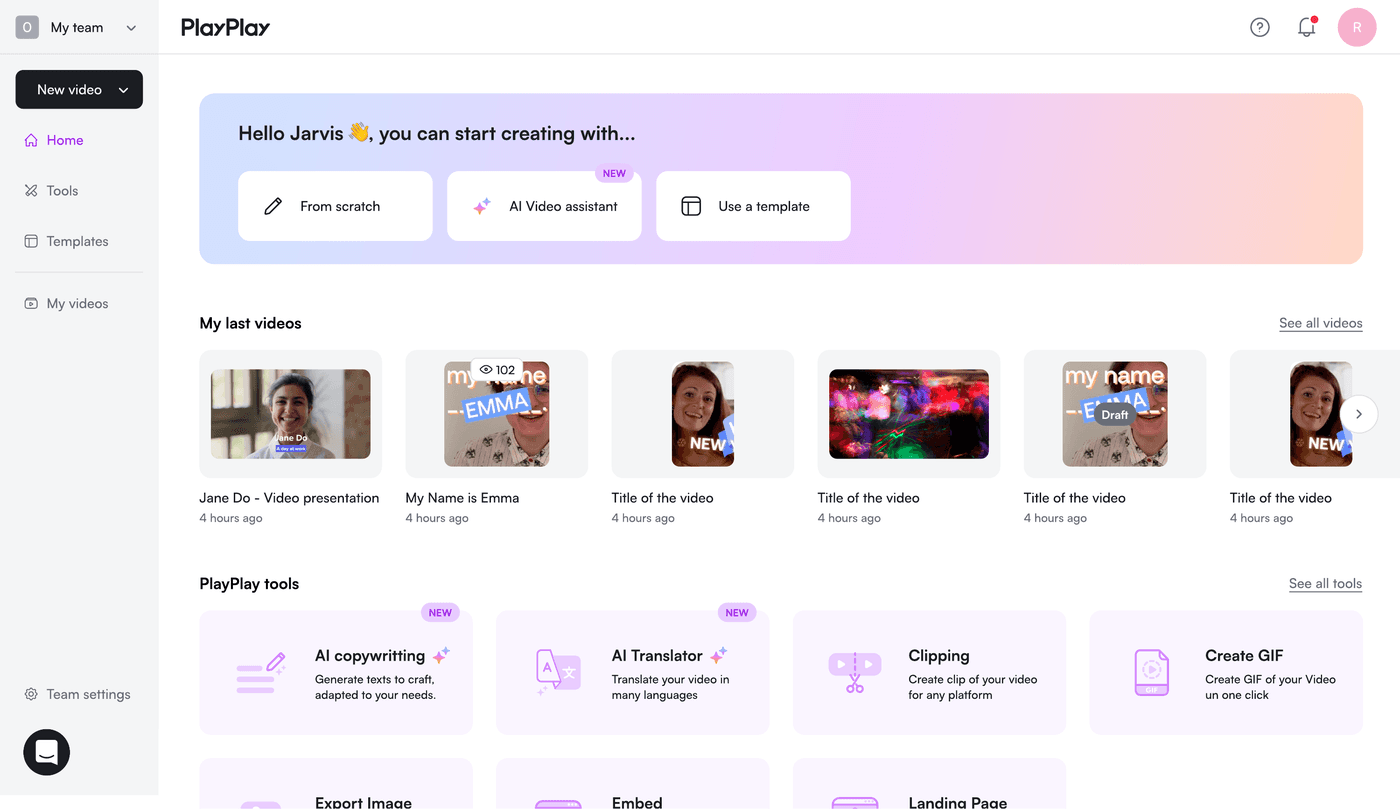
Entry point — “AI Video assistant” offered alongside “From scratch” and templates.
The problem — the blank-page effect
In interviews with users — and in feedback gathered from our CX and Sales teams — a consistent pattern emerged. Users almost always knew what their video needed to say. What stopped them was figuring out how: what the script should be, which screens to include, in what order, for how long, and with what content.
That blank-page moment was the single biggest barrier to getting started. The Studio gave people a powerful canvas but no help confronting the empty page — so a meaningful share of the effort happened before the editor was even opened, and a meaningful share of users stalled there.
Design goal: get a user from “I have an idea” to “I have a finished, exportable video” as fast as possible — and remove the blank page as the place where momentum dies.
My role
I was the sole product designer on the squad building Genie. Working hand in hand with the PM, I:
Helped define the scope and frame the problem through user interviews, plus feedback gathered from the CX and Sales teams.
Designed the end-to-end flow, the visual identity and the UI of the entire feature.
Defined the interaction model — how users would talk to the assistant and where they’d take back manual control.
Built the prototype used in testing, and iterated on how the LLM should respond and behave based on what real users asked and answered.
Approach & key decisions
Most of the design effort went into one core tension: how much should this live inside a free-form chat, and how much should it be a structured, guided flow? Three decisions defined the final design.
Decision 1 — A first prompt must always produce a script
Early tests let users keep chatting to refine the script turn after turn. It was flexible, but it was slow — the back-and-forth often took longer than the manual route it was meant to replace, and users could get trapped in feedback loops that never started from a good base.
So for v1 I made a firm call: the first prompt always generates a complete, reviewable script. From there the user can either prompt targeted changes from a dedicated review view, or decide the draft isn’t close enough and start over from the prompt screen. The priority was time-to-value, not endless conversational perfection.
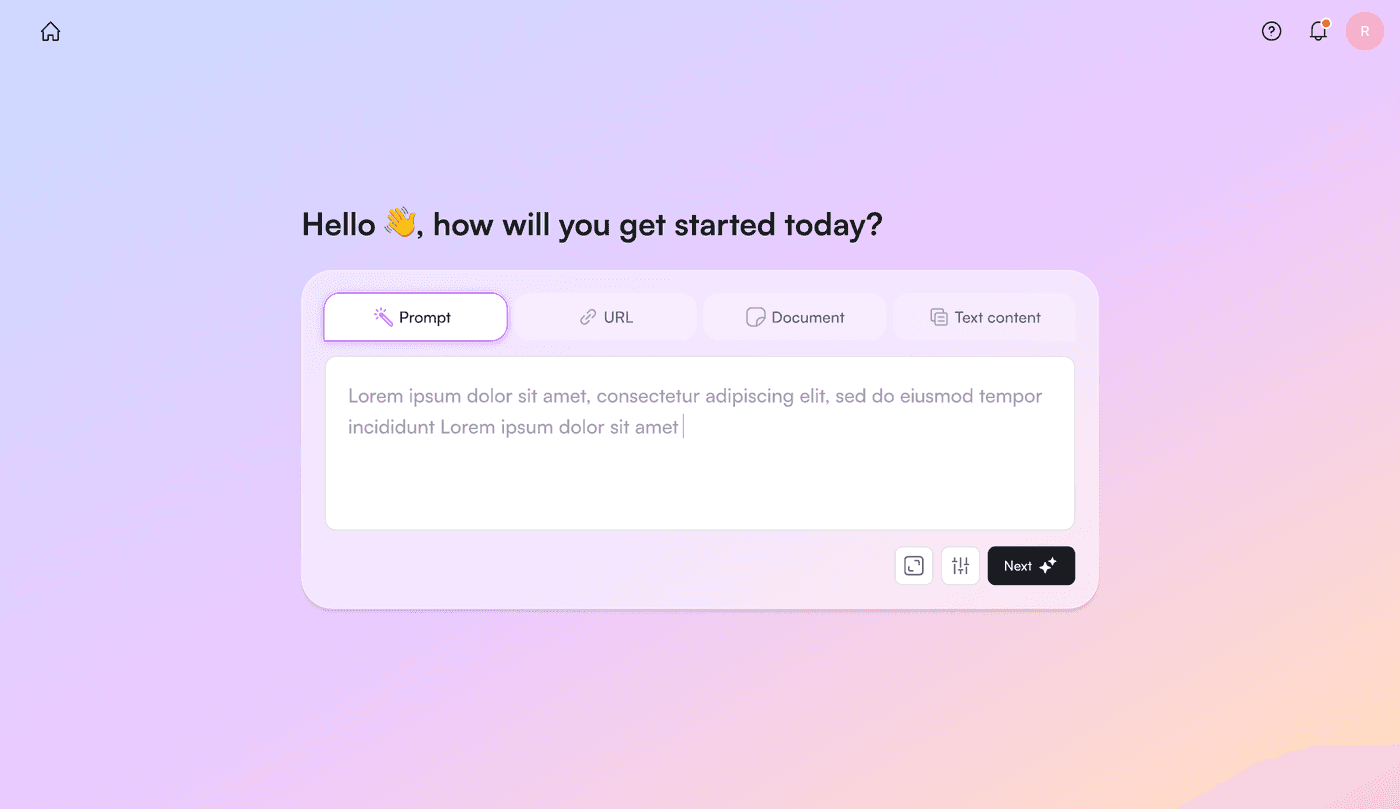
The first prompt — multiple input modes (Prompt, URL, Document, Text). One prompt is enough to generate a full first draft.
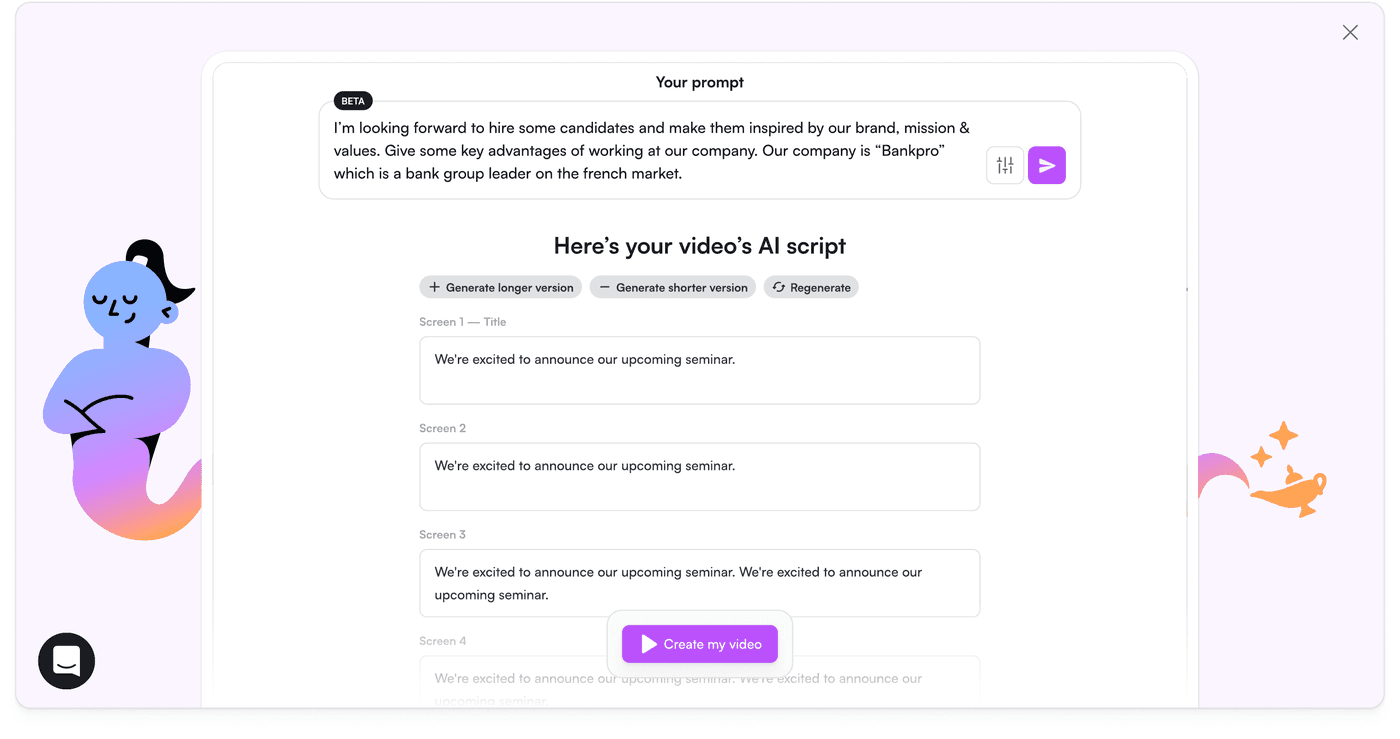
Genie returns a complete, screen-by-screen AI script the user can review, regenerate, lengthen or shorten — not a chat transcript to wrangle.
Decision 2 — Re-focus the LLM on the output, not the conversation
An early version asked too many questions before producing anything. I restructured the flow so the model would ask only a few key questions up front — a short “brief” step covering the essentials of the video and the need — and then commit to a draft.
Critically, I designed a dedicated UI for the output rather than the dialogue. Instead of users staring at a wall of assistant text, the experience pushed them toward concrete artifacts: a brief, then a script, then a visual storyboard. This reframed the assistant from “a chatbot to negotiate with” into “a tool that hands you something to edit.”
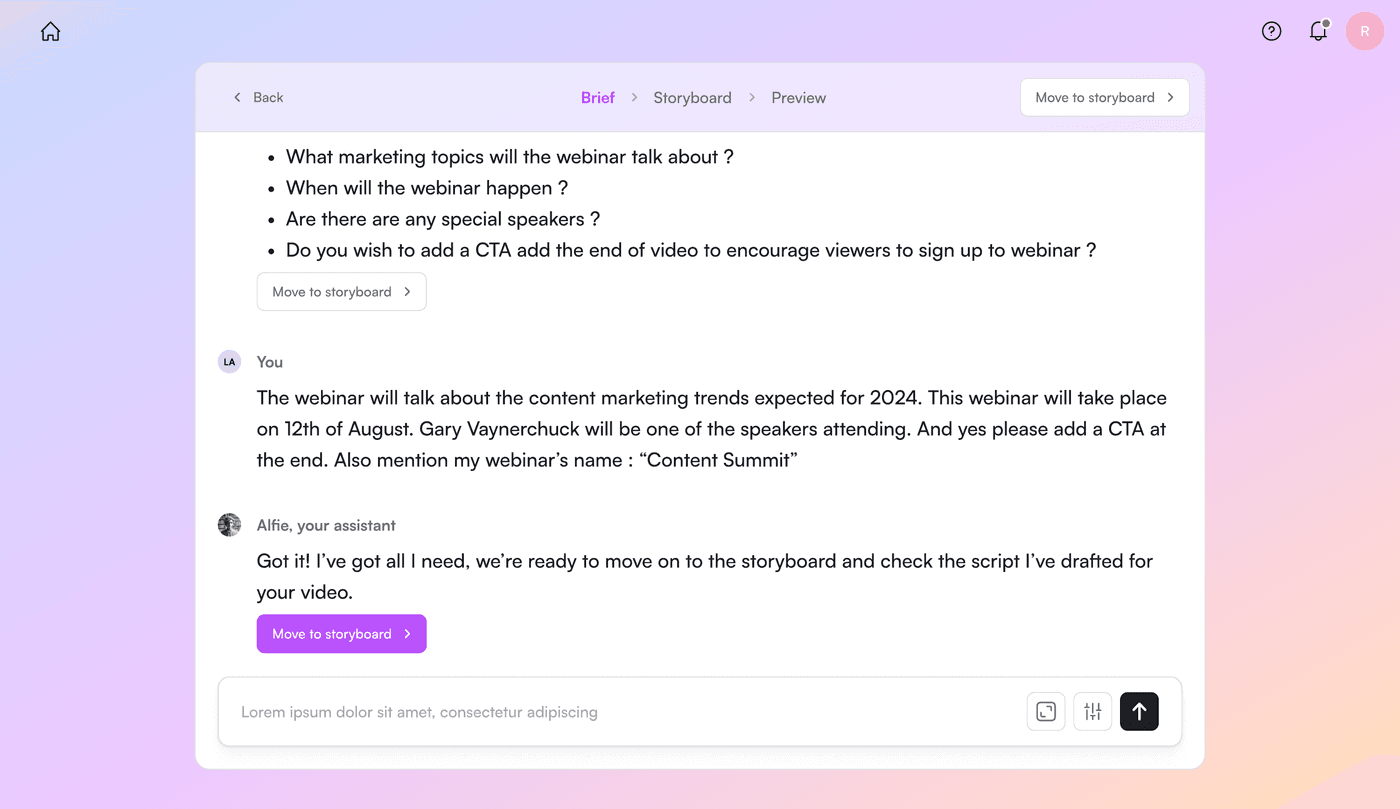
The Brief step — the assistant asks a small set of targeted questions, then commits to drafting rather than interrogating.
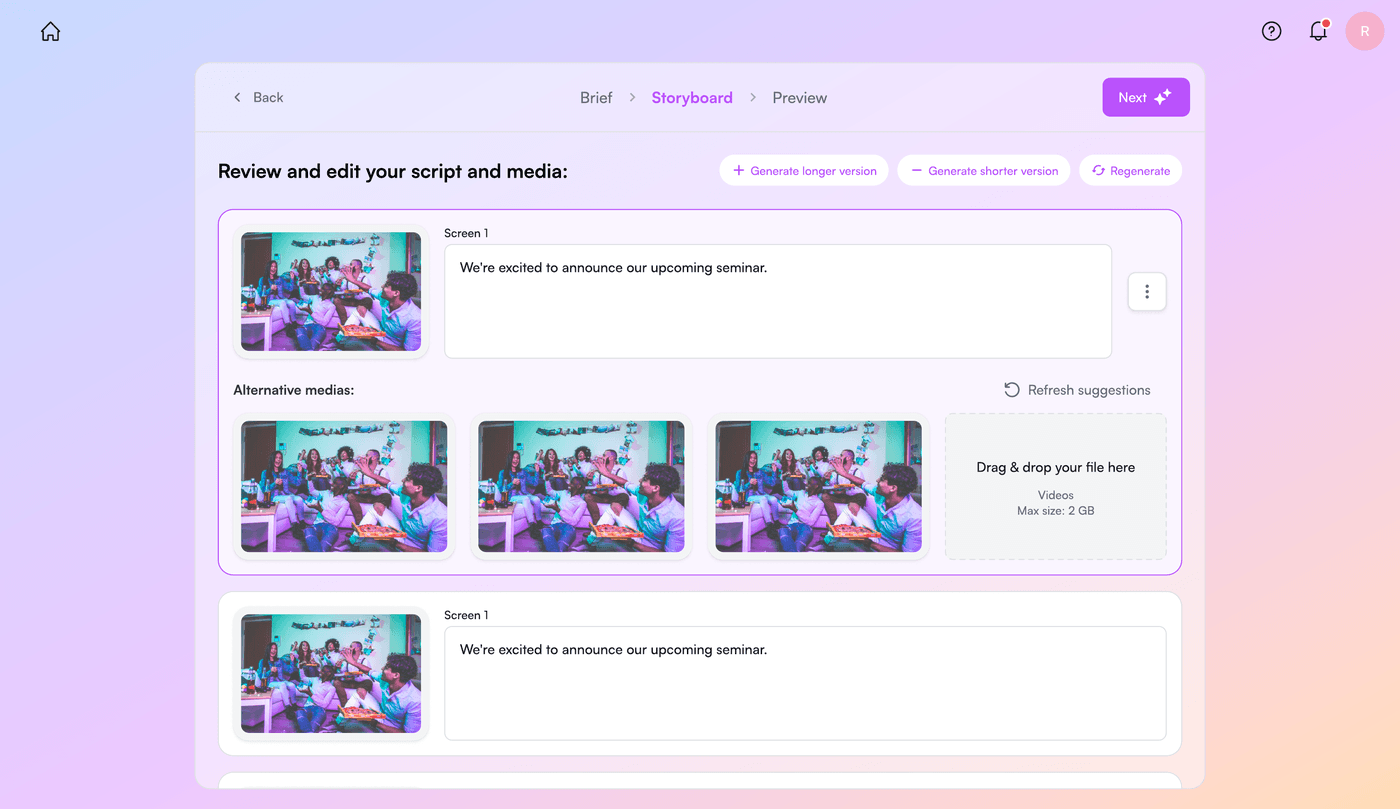
The Storyboard step — script and media shown screen by screen, in a format close to the final video, so edits are quick and visual before anything reaches the Studio.
Decision 3 — Optimise for speed, and design around the quality trade-off
More context for the model meant better scripts — but chasing perfection on the first try defeated the purpose. I made speed the explicit priority, and then designed the UI to absorb the cost of an imperfect first draft:
A first-prompt view with example prompts and best practices, so users start with a stronger input.
A brief view that captures the real need with minimal friction.
A storyboard view that makes correcting or re-prompting individual screens fast and low-stakes.
The end goal: by the time the draft pre-fills the Studio, it’s good enough to export directly. Heavier work — translation into multiple languages, subtitles, deeper edits — stays available in the Studio for users with more complex needs.
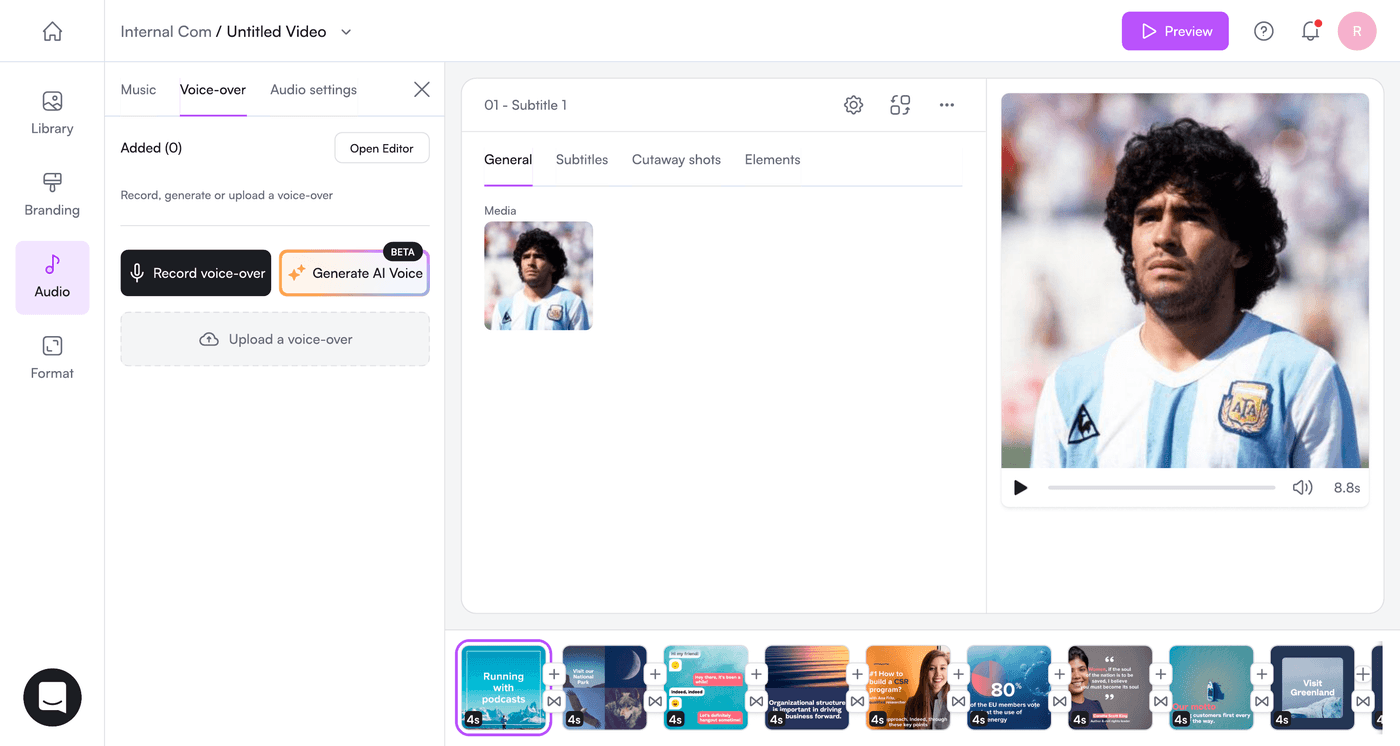
The hand-off — Genie’s output lands pre-filled in the existing Studio, ready to export, with the full editor still available for advanced work.
Outcome
Genie shipped to a closed beta of selected users. Because it was an early-stage beta, the strongest signal was qualitative and directional rather than fully instrumented — but it was clear and consistent across the testers we spoke with: Genie drastically reduced time-to-value.
28 min — typical time to make a video in the Studio (before)
12 min — first prompt → exported render with Genie (after)
And the 28 minutes didn’t even include the time spent writing a script and planning the video outside the Studio — exactly the blank-page work Genie was built to remove. Counting that, the real-world saving was larger still.
Reflection — what I’d do differently
The brief step didn’t need to be entirely free text. Today I’d add a short, structured input before the prompt — a handful of fields for the things we always had to ask anyway (video format, duration, use case). Clear, bounded inputs would have given the model better context with less effort from the user, and made first drafts more accurate without slowing anyone down.
I’d also set up quantitative tracking from day one. The time-to-value story was compelling, but it leaned on conversations with testers; cleaner instrumentation from the start would have let the impact speak for itself.
In one line
I designed PlayPlay’s prompt-to-video assistant end to end — making the hard call to prioritise speed over conversational perfection, reframing an LLM chat into an artifact-driven flow, and cutting time-to-video from 28 minutes to 12 for beta users.
More